Managing product feeds for your WooCommerce store isn’t just about checking boxes—a single missing identifier or outdated attribute can instantly disapprove thousands of products across Google Shopping, Facebook, and Amazon. Most merchants discover this the hard way when their entire catalog vanishes from search results overnight. With Google Merchant Center’s April 2025 policy updates introducing new requirements for installment pricing, energy certifications, and shipping attributes, staying compliant while managing feeds across 180+ channels has become nearly impossible to handle manually.
Quick Summary
| Key Point | Explanation | WooCommerce Impact |
|---|---|---|
| 1. Audit your WooCommerce feed setup | Identify missing attributes, incorrect mappings, and policy violations before they cause disapprovals | Critical for stores with 500+ products where manual checking is unfeasible |
| 2. Map WooCommerce attributes correctly | Connect custom fields, variations, and ACF data to meet channel-specific requirements | Different channels require different attribute formats—automation prevents mapping errors |
| 3. Implement 2025 policy compliance | Add new GMC requirements: identifier_exists, installment pricing, energy certifications | Non-compliance causes immediate disapprovals; manual updates risk missing critical fields |
| 4. Deploy structured data for WooCommerce | Use Schema.org product markup with WooCommerce-specific implementation | Improves rich snippet appearance and search visibility across all channels |
| 5. Automate performance monitoring | Track disapprovals, inventory sync errors, and price mismatches in real-time | Manual monitoring misses critical errors that cost immediate sales |
Step 1: Audit Your WooCommerce Product Feed Setup
Before optimizing anything, you need to understand exactly where your WooCommerce feed stands against current marketplace requirements. Most feed disapprovals happen not because of bad products, but because of systematic data gaps that multiply across your entire catalog. A store with 2,000 products might have 15,000 individual feed errors without realizing it.
Conducting a Comprehensive Feed Audit
Start by exporting your current WooCommerce product data and comparing it against Google Merchant Center’s diagnostic reports. Access GMC’s Diagnostics tab to see exactly which products are disapproved and why. Google Merchant Center provides detailed error reports that highlight specific problems preventing products from displaying, but interpreting these errors for WooCommerce data structures requires understanding how your product fields map to feed requirements.
Common WooCommerce-specific feed issues include:
- Missing GTINs for manufactured products: WooCommerce doesn’t include GTIN fields by default, causing immediate disapprovals for brand-name items
- Incorrect identifier_exists values: Custom products marked as having identifiers when they shouldn’t, or vice versa
- Variation attribute mapping failures: Parent products showing without proper color/size variations in feeds
- Custom field synchronization issues: ACF or meta fields not populating feed attributes
- Price format inconsistencies: Sale prices, currency formatting, or tax inclusion conflicts
- Image specification violations: WooCommerce default images not meeting minimum resolution requirements
- Inventory sync delays: Stock status updates not reflecting in feeds quickly enough
WooCommerce Feed Audit Checklist
| Feed Element | What to Check in WooCommerce | Critical GMC Requirement |
|---|---|---|
| Product Identifiers | Are GTINs stored in custom fields? Is identifier_exists set correctly? | Required for all manufactured products; must be “false” for custom/handmade items |
| Title Optimization | Does title include brand, key attributes, and target keywords within 150 characters? | Must match landing page; missing brand causes disapprovals |
| Product Descriptions | Are descriptions unique per product or duplicated from categories? | Minimum 500 characters recommended; must describe actual product |
| Price Accuracy | Does feed price exactly match landing page price including sale prices? | Price mismatches cause immediate disapprovals |
| Availability Status | Is WooCommerce stock status syncing to feed in real-time? | Out-of-stock items marked “in stock” violate policy |
| Product Categories | Are products mapped to correct Google product categories (not WooCommerce categories)? | Incorrect categorization limits visibility |
| Image Quality | Do main images meet 800x800px minimum without watermarks? | Poor images reduce click-through rates significantly |
| Variation Handling | Are color/size variations properly structured as child products? | Missing variations lose 40-60% of potential traffic |
Identifying April 2025 Policy Compliance Gaps
The April 8, 2025, Google Merchant Center specification updates introduced three major new requirements that most WooCommerce stores aren’t currently meeting:
1. Installment Pricing Display: If you offer payment plans or buy-now-pay-later options, you must now include installment attributes showing monthly payment amounts. WooCommerce doesn’t capture this data by default.
2. Energy Efficiency Certifications: Products in applicable categories (appliances, electronics, vehicles) must include energy efficiency labels and certifications. This requires adding custom fields to your WooCommerce products.
3. Enhanced Shipping Attributes: New shipping attributes for handling time, carrier selection, and regional variations must be specified at the product level, not just the account level.
Most WooCommerce stores have zero of these attributes configured, meaning immediate disapprovals for affected product categories once GMC begins enforcing these requirements.
The Manual Audit Problem
Here’s the reality: if you’re managing more than 500 products, manually auditing and fixing feed issues isn’t sustainable. A single policy update can require touching thousands of products. Manual spreadsheet exports miss real-time sync issues. And multiplying this work across Google Shopping, Facebook Catalog, Amazon Seller Central, and 177 other potential channels becomes mathematically impossible.
This is where automated WooCommerce feed management transforms from convenience to necessity. Automated systems continuously monitor for disapprovals, detect missing attributes across your entire catalog, and apply fixes systematically rather than product-by-product.
Step 2: Map WooCommerce Attributes to Channel Requirements
The fundamental challenge in WooCommerce feed optimization is that your store’s data structure rarely matches what marketplaces actually need. WooCommerce stores product information one way; Google Shopping, Facebook, and Amazon each expect entirely different attribute formats. Getting this mapping right determines whether your products appear at all.
Understanding the Attribute Mapping Challenge
Consider a simple t-shirt in your WooCommerce store. You have:
- WooCommerce product title: “Organic Cotton Crew Neck T-Shirt”
- WooCommerce categories: Clothing > Men > Shirts
- Custom field “fabric”: “100% organic cotton”
- Variation attributes: Color (Navy, Black, Gray), Size (S, M, L, XL)
For Google Shopping, you need:
- Title: “Navy Blue Organic Cotton Crew Neck T-Shirt – Men’s Short Sleeve Tee”
- Google product category: “Apparel & Accessories > Clothing > Shirts & Tops”
- Material: “Cotton”
- Color: “Navy”
- Size: “M”
- GTIN: “Required if available”
- identifier_exists: “false” (if custom design) or “true” (if brand name item)
For Facebook Catalog, you need:
- Title format: “Organic Cotton Crew Neck T-Shirt | Men’s Navy Blue | Size M”
- fb_product_category: “Clothing & Accessories > Clothing > Shirts”
- Material: “100% Organic Cotton”
- Color: “Navy Blue”
- Size: “M”
For Amazon, you need:
- Different title structure emphasizing brand first
- Amazon-specific browse nodes instead of categories
- Different attribute names for the same data
This isn’t a one-time mapping exercise; it’s an ongoing translation problem that affects every product in your catalog.
Critical WooCommerce Attribute Mapping Scenarios
1. GTIN and Identifier Requirements
This is where most WooCommerce stores fail GMC compliance. Stores must properly implement the identifier_exists attribute, using “false” for custom goods and “true” for manufactured products.
WooCommerce Implementation:
- For custom/handmade products: Set
identifier_exists = false(no GTIN needed) - For brand-name products: Set
identifier_exists = trueAND include a valid GTIN, MPN, or Brand - Store GTINs in custom fields since WooCommerce doesn’t include them by default
Common Mistakes:
- Leaving identifier_exists blank (causes disapproval)
- Setting identifier_exists = true without providing a valid GTIN
- Using invalid GTINs (like “12345” or sequential numbers)
- Not updating when switching from custom to manufactured products
Solution: Create a custom field “_product_gtin” in WooCommerce. Use automated feed mapping to set identifier_exists based on whether GTIN field is populated.
2. Product Variation Handling
WooCommerce variations are a persistent feed challenge. Marketplaces need each color/size combination as a separate product with its own identifier.
WooCommerce Structure:
- Parent product: “Organic Cotton T-Shirt”
- Variation 1: Navy Blue / Size M (has own SKU, price, stock)
- Variation 2: Black / Size L (has own SKU, price, stock)
Feed Requirements:
- Each variation becomes a separate feed item
- Parent product should not appear in feed (item_group_id connects variations)
- Each variation needs a unique identifier
- Color and size must be in specific attribute fields, not just the title
Manual Mapping Nightmare: With 10 colors and 6 sizes, one parent product becomes 60 feed items. Each needs correct attribute mapping. One error multiplies across all variations.
3. Custom Field and ACF Integration
If you use Advanced Custom Fields or custom meta fields for product specifications, these need to map to feed attributes.
Example WooCommerce Custom Fields:
_warranty_period: “2 years”_energy_rating: “A++”_installment_available: “Yes”_country_of_origin: “Italy”
Feed Attribute Mapping:
- WooCommerce
_warranty_period→ Google Shopping custom label or product detail - WooCommerce
_energy_rating→ Energy efficiency label (new 2025 requirement) - WooCommerce
_installment_available→ Installment attribute (new 2025 requirement) - WooCommerce
_country_of_origin→ country_of_origin attribute
Without automated mapping, you manually maintain these connections. When a field name changes or a new marketplace requires different formatting, you rebuild everything.
Multi-Channel Attribute Requirements Comparison
| Attribute | Google Shopping | Facebook Catalog | Amazon | WooCommerce Default Field |
|---|---|---|---|---|
| Product Identifier | GTIN or identifier_exists=false | retailer_id or fb_product_category | ASIN or UPC | SKU only (not sufficient) |
| Title Format | Brand + Attributes + Keywords (150 char) | Free format (200 char) | Brand first (200 char) | Product name |
| Category | Google taxonomy (6000+ categories) | Facebook taxonomy | Browse nodes | WooCommerce categories (not compatible) |
| Price Format | Include currency, match landing page | Include currency | Must match Amazon price | Compatible if formatted correctly |
| Availability | in_stock, out_of_stock, preorder | in stock, available for order | Available, out of stock | Requires stock status mapping |
| Color/Size | Separate attributes: color, size | Combined: color/size | Variation theme specific | Variation attributes (need remapping) |
| Brand | Required if manufactured | Required | Required | Not a default field |
| Condition | new, refurbished, used | new, refurbished, used, open box | Required condition | Not a default field |
This table reveals the fundamental problem: WooCommerce’s native data structure doesn’t align with any marketplace’s requirements. Successful feed management requires continuous translation between your store’s format and each channel’s expectations.
The Automation Imperative
Managing these mappings manually means:
- Building separate feed templates for each channel
- Manually updating mappings when policies change (like April 2025 updates)
- Fixing mapping errors product-by-product when disapprovals occur
- Rebuilding everything if you add new custom fields or change your WooCommerce structure
Automated attribute mapping solves this by creating rule-based connections between your WooCommerce data and channel requirements. When a policy changes, you update the mapping rules once rather than touching thousands of products. When you add a custom field, you define how it maps to various channels in one place.
Step 3: Implement 2025 Policy Compliance and Enhanced Descriptions
Product descriptions do more than inform—they determine approval status and conversion rates. But effective WooCommerce product descriptions must satisfy both human readers and algorithmic requirements that changed significantly in April 2025. A description that worked perfectly in 2024 may now cause disapproval if it doesn’t include newly required attributes.
April 2025 Google Merchant Center Specification Updates
The April 8, 2025 policy changes introduced three critical new requirements that most WooCommerce stores aren’t currently meeting:
1. Installment Pricing Attributes
If your WooCommerce store offers payment plans, buy-now-pay-later, or financing options through services like Klarna, Afterpay, or Affirm, you must now include installment attributes in your feed:
Required Fields:
installment_months: Number of months (e.g., “6”, “12”, “24”)installment_amount: Monthly payment with currency (e.g., “29.99 USD”)
WooCommerce Implementation Challenge: These payment options are typically handled by plugins that don’t automatically populate feed attributes. You need to:
- Calculate monthly payment amounts for each product price point
- Store this data in custom fields or calculate dynamically
- Map these fields to the installment attributes in your feed
- Update automatically when prices change
Example: A $299 laptop with 12-month financing:
price: 299.00 USD
installment_months: 12
installment_amount: 24.92 USD
Without these attributes, products with financing options won’t display installment pricing in search results, reducing click-through rates significantly.
2. Energy Efficiency Certifications
Products in appliances, electronics, vehicles, and lighting categories must now include energy efficiency information:
Required Fields:
energy_efficiency_class: Rating level (A+++, A++, A+, A, B, C, D)min_energy_efficiency_class: Lowest possible ratingmax_energy_efficiency_class: Highest possible rating
WooCommerce Implementation:
For a refrigerator with A++ rating:
energy_efficiency_class: A++
min_energy_efficiency_class: D
max_energy_efficiency_class: A+++
Since WooCommerce doesn’t include energy efficiency fields by default, you must:
- Add custom fields to your product data
- Populate them for all applicable products
- Ensure they appear in your feed output
- Update when efficiency standards change
Disapproval Risk: Products requiring these certifications but missing them face immediate disapproval in affected categories.
3. Enhanced Shipping Attributes
The new specifications require product-level shipping details, not just account-level defaults:
New Required Fields:
shipping_length,shipping_width,shipping_height: Package dimensionsshipping_weight: Actual shipping weighthandling_time_min,handling_time_max: Processing time in business daysshipping_label: Custom shipping descriptions
WooCommerce Challenge: While WooCommerce stores product dimensions and weight, these often represent the product itself, not shipping package dimensions. You need separate fields for:
- Product dimensions (for description)
- Shipping package dimensions (for feed attributes)
- Handling time (varies by product, not store-wide)
Creating Compliant WooCommerce Product Descriptions
Effective descriptions do more than list features—they create emotional connections while answering potential buyer questions before they’re asked, but they must also satisfy algorithmic requirements.
The WooCommerce Description Strategy
Problem: Many WooCommerce stores use short, generic descriptions because they’re easier to manage at scale. But marketplaces penalize thin content.
Solution Structure:
- Opening Hook (50-100 words): Address primary customer need and unique value
- Feature Narrative (200-300 words): Weave specifications into benefit-focused story
- Technical Specifications (100-200 words): Detailed specs in scannable format
- Use Case Scenarios (100-150 words): Specific applications and solutions
- Compliance Attributes: Include all required 2025 attributes
WooCommerce-Specific Example – Before vs. After:
❌ Generic WooCommerce Description (Causes Problems):
Wireless Headphones
High-quality wireless headphones with noise cancellation.
Features: Bluetooth 5.0, 30-hour battery, comfortable fit
Available in black and silver
✅ Optimized Compliant Description:
Premium Wireless Noise-Cancelling Headphones for Professional Audio

Experience studio-quality sound with our Quantum Audio QA-300 wireless headphones, engineered for professionals and audiophiles who demand crystal-clear audio reproduction without compromise. Active noise cancellation technology eliminates up to 95% of ambient sound, creating your personal acoustic sanctuary whether you're in a busy office, traveling, or focusing on critical mixing work.

Advanced Acoustic Engineering: The QA-300 features custom-tuned 40mm neodymium drivers that deliver balanced frequency response across 20Hz-20kHz, ensuring accurate reproduction of both subtle instrumental details and powerful bass notes. Bluetooth 5.2 connectivity with aptX HD codec support maintains near-lossless audio quality wirelessly, while the included 3.5mm cable enables wired connection for zero-latency professional applications.

Uncompromising Comfort for Extended Wear: Memory foam ear cushions with cooling gel technology and an adjustable padded headband distribute weight evenly, allowing comfortable wear for 8+ hour sessions. The foldable design with included hard-shell case protects your investment during travel.

Professional Features That Matter: Dual-microphone system with AI-powered noise reduction ensures clear conference calls. Touch controls on right ear cup provide intuitive playback management. Companion app offers custom EQ presets and firmware updates. 30-hour battery life on a single charge means you're never interrupted mid-project.

Technical Specifications:
- GTIN: 0842776108685
- Brand: Quantum Audio
- Weight: 250g
- Dimensions: 19.5 x 17.5 x 8.5 cm
- Connectivity: Bluetooth 5.2, 3.5mm wired
- Battery: 30 hours wireless, 40 hours wired
- Charging: USB-C, 2-hour full charge
- Warranty: 2 years manufacturer warranty
- Energy Efficiency: N/A (battery-powered portable device)
WooCommerce Description Rules for Compliance
- Length: Minimum 500 characters; aim for 800-1500 for competitive categories
- Uniqueness: Every product needs a unique description—no template duplication
- Keyword Integration: Include target search terms naturally, especially in the first 200 characters
- Specification Coverage: Include all required attributes within the description text
- Landing Page Match: Description must align with what appears on the product page
Handling WooCommerce Product Variations in Descriptions
Product variations create a unique challenge. You need descriptions that:
- Work for the parent product in your WooCommerce catalog
- Generate unique descriptions for each variation in feeds
- Include variation-specific attributes (color, size) naturally
Automated Solution: Use templates that dynamically insert variation attributes:
[Base description for product type]

This variation features [color] color in [size] size.
Material composition: [fabric_attribute]
Care instructions: [care_instructions_custom_field]
Fit: [fit_custom_field]
Without automation, you manually write descriptions for every color/size combination. A product with 10 colors and 6 sizes needs 60 unique descriptions.
The Compliance-Performance Balance
Here’s the tension: descriptions must satisfy both:
- Algorithmic requirements: All required attributes, sufficient length, proper formatting
- Human readers: Engaging narrative, emotional connection, clear benefits
Poor implementations do one or the other. Effective implementations do both by structuring descriptions in sections that serve different purposes. The narrative opening engages humans; the technical specifications satisfy algorithms.
Learn advanced techniques for Google Shopping product description optimization that specifically address WooCommerce implementation challenges.
Step 4: Deploy Structured Data Markup for WooCommerce
Structured data markup provides a direct communication channel between your online store and digital discovery platforms, but implementing it correctly for WooCommerce requires understanding both Schema.org standards and WordPress technical architecture. Most WooCommerce stores either have no structured data or have incorrectly implemented markup that search engines ignore.
Why WooCommerce Structured Data Matters
When you add proper Schema.org product markup to your WooCommerce store:
- Rich Snippets in Search: Products appear with price, availability, and ratings directly in Google search results
- Improved Click-Through Rates: Rich snippets increase CTR by 20-40% compared to plain listings
- Feed Synchronization: Some feed systems pull structured data to supplement feed attributes
- Voice Search Optimization: Virtual assistants parse structured data to answer product queries
- Merchant Center Validation: GMC uses structured data to verify your landing pages match feed data
Without structured data, your products appear as plain text links. With proper markup, they display as enhanced listings that command attention and trust.
WooCommerce Schema.org Implementation
Schema.org offers the most comprehensive and widely supported format for product markup. For WooCommerce products, you need the Product schema type with specific properties.
Essential Schema.org Properties for WooCommerce
Minimum Required Properties:
{
  "@context": "https://schema.org/",
  "@type": "Product",
  "name": "Product name from WooCommerce title",
  "description": "Product description",
  "image": "URL to main product image",
  "offers": {
    "@type": "Offer",
    "priceCurrency": "USD",
    "price": "299.00",
    "availability": "https://schema.org/InStock",
    "url": "Product page URL"
  }
}
Enhanced Properties for Better Performance:
{
  "@context": "https://schema.org/",
  "@type": "Product",
  "name": "Quantum Audio QA-300 Wireless Headphones",
  "description": "Premium wireless noise-cancelling headphones...",
  "image": [
    "https://yourstore.com/images/qa300-main.jpg",
    "https://yourstore.com/images/qa300-side.jpg",
    "https://yourstore.com/images/qa300-detail.jpg"
  ],
  "brand": {
    "@type": "Brand",
    "name": "Quantum Audio"
  },
  "sku": "QA300-BLK",
  "gtin13": "0842776108685",
  "offers": {
    "@type": "Offer",
    "url": "https://yourstore.com/product/qa-300-headphones",
    "priceCurrency": "USD",
    "price": "299.00",
    "priceValidUntil": "2025-12-31",
    "availability": "https://schema.org/InStock",
    "itemCondition": "https://schema.org/NewCondition",
    "seller": {
      "@type": "Organization",
      "name": "Your Store Name"
    }
  },
  "aggregateRating": {
    "@type": "AggregateRating",
    "ratingValue": "4.7",
    "reviewCount": "234"
  },
  "review": [
    {
      "@type": "Review",
      "author": {
        "@type": "Person",
        "name": "Sarah Mitchell"
      },
      "datePublished": "2025-09-15",
      "reviewBody": "Outstanding sound quality and comfort...",
      "reviewRating": {
        "@type": "Rating",
        "ratingValue": "5"
      }
    }
  ]
}
WooCommerce-Specific Implementation Considerations
1. Variable Products: Each variation needs its own structured data. The challenge is generating separate markup for each color/size combination while maintaining correct GTINs and SKUs per variation.
2. Dynamic Pricing: If you use WooCommerce dynamic pricing, sale prices, or role-based pricing, your structured data price must match what the user actually sees on the page. Mismatches cause validation errors.
3. Stock Status Synchronization: The availability property must reflect real-time WooCommerce stock status. Out-of-stock items marked as “InStock” in structured data violate guidelines.
4. Review Integration: If you use a WooCommerce review plugin, ensure reviews populate the structured data’s review array. Static markup with fake reviews is detectable and penalized.
Structured Data Implementation Methods for WooCommerce
Option 1: SEO Plugin Implementation
Most comprehensive SEO plugins (Yoast, Rank Math, All in One SEO) include WooCommerce structured data functionality. They automatically:
- Generate JSON-LD markup from WooCommerce product data
- Handle variable products
- Sync stock status and pricing
- Include review data
Limitations:
- May not include custom fields or advanced attributes
- Limited control over which properties are included
- Doesn’t always handle 2025 compliance attributes
Option 2: WooCommerce-Specific Schema Plugins
Dedicated schema plugins for WooCommerce provide:
- Complete control over property mapping
- Custom field integration
- Variation handling
- Conditional logic for different product types
Advantage: Map custom fields like energy efficiency ratings or installment pricing directly into structured data.
Option 3: Custom Implementation via Functions.php
For developers who need complete control:
This approach allows mapping any custom field into structured data properties.
Validating Your WooCommerce Structured Data
After implementation, validation is critical:
- Google Rich Results Test: Test individual product URLs at https://search.google.com/test/rich-results
- Schema Markup Validator: Validate complete markup at https://validator.schema.org/
- Google Search Console: Monitor “Enhancements” section for product markup errors
- Manual Inspection: View page source and verify JSON-LD appears correctly
Common WooCommerce Structured Data Errors:
- Missing required properties (name, image, offers)
- Invalid price format (must be decimal, not formatted with currency symbols)
- Incorrect availability URLs (must use Schema.org vocabulary exactly)
- Mismatched prices between markup and visible page price
- Missing GTIN when identifier_exists should be true
The Feed-Structured Data Connection
Here’s a critical insight many merchants miss: your WooCommerce structured data and your product feeds should align. When Google crawls your product pages, it validates that structured data matches your feed data. Discrepancies trigger warnings or disapprovals.
Ensure consistency across:
- Product titles
- Prices (including sale prices)
- Availability status
- GTINs and identifiers
- Brand information
- Product descriptions
Automated feed management systems can generate both feeds and structured data from the same WooCommerce data source, eliminating inconsistency risk.
Step 5: Automate Performance Monitoring and Feed Maintenance
Product feed optimization is an ongoing journey of continuous improvement where monitoring performance metrics becomes your strategic compass for sustained online sales success. But manual monitoring fails at scale. A WooCommerce store with 2,000 products across 5 channels generates over 10,000 individual data points to track—missing a single critical error can cost thousands in lost sales before you notice.
The Real Cost of Manual Feed Monitoring
Consider what happens when you manage feeds manually:
Scenario: You update prices on 50 products in WooCommerce on Monday morning.
Manual Process:
- Export updated CSV
- Manually upload to Google Merchant Center (wait for processing)
- Manually upload to Facebook Business Manager (wait for processing)
- Update Amazon listings individually or via template
- Repeat for any other channels
- Check back in 24 hours to see if errors occurred
- If errors, troubleshoot which products failed and why
- Fix and re-upload
- Wait another 24 hours for processing
Actual Timeline: 3-5 days until all channels show correct prices. Meanwhile, you’re either underselling (losing margin) or overselling (creating angry customers).
Automated Process:
- Update prices in WooCommerce
- Feed automation system detects changes
- Updates push to all channels within 15-30 minutes
- Real-time error monitoring alerts you to any issues
- All channels synchronized same day
Critical WooCommerce Feed Performance Metrics
Standard performance metrics including click-through rates, impressions, and conversion rates provide essential insights, but WooCommerce-specific metrics reveal operational health.
Feed Health Metrics
| Metric | What It Measures | Target | Red Flag |
|---|---|---|---|
| Feed Approval Rate | Percentage of products approved by each channel | 95%+ | Below 85% |
| Sync Latency | Time between WooCommerce update and feed update | <15 minutes | >6 hours |
| Price Mismatch Errors | Products where feed price doesn’t match page price | 0 | Any occurrence |
| Inventory Sync Accuracy | Percentage match between WooCommerce stock and feed availability | 100% | Below 98% |
| Missing Attribute Count | Products lacking required attributes by channel | 0 | Any for required fields |
| GTIN Coverage | Percentage of manufactured products with valid GTINs | 100% | Below 90% |
| Image Compliance Rate | Products with images meeting all channel requirements | 100% | Below 95% |
Channel Performance Metrics
| Metric | What It Measures | Optimization Insight | WooCommerce Action |
|---|---|---|---|
| Click-Through Rate (CTR) | Clicks vs. impressions per product | Low CTR indicates poor title/image optimization | Revise product titles, improve main images |
| Impression Share | How often your products appear vs. eligible searches | Low share means missing key attributes or losing competitive bids | Add missing attributes, adjust pricing |
| Conversion Rate | Purchases vs. clicks | Low conversion suggests landing page issues or feed mismatches | Ensure feed description matches page, verify pricing accuracy |
| Cost-Per-Click (CPC) | High CPC | High CPC with low conversion indicates poor product-search alignment | Refine product categories, improve targeting attributes |
| Return on Ad Spend (ROAS) | Revenue generated vs. advertising cost | Low ROAS means unprofitable products need optimization or removal | Analyze by product category, pause poor performers |
| Disapproval Rate by Category | Which product categories face most rejections | Identifies systematic attribute gaps in specific categories | Bulk-fix category-specific missing attributes |
Setting Up Automated Performance Monitoring
Effective monitoring requires systems that detect issues before they impact sales significantly.
1. Real-Time Disapproval Alerts
Configure notifications that trigger immediately when products are disapproved:
Google Merchant Center:
- Enable email notifications for disapprovals
- Set up Google Merchant Center API monitoring for programmatic alerts
- Monitor the Diagnostics tab daily for emerging issues
Facebook Catalog Manager:
- Enable diagnostic notifications
- Check the Product Catalog Health section weekly
- Monitor rejected items count trend
Amazon Seller Central:
- Set up listing quality alerts
- Monitor the suppressed listings report
- Check the inventory health dashboard
WooCommerce Integration: Automated feed systems can pull disapproval data via APIs and display warnings directly in your WordPress admin dashboard, eliminating the need to check multiple platforms.

2. Price Consistency Monitoring
Price mismatches between your WooCommerce store and feeds cause immediate disapprovals. Monitor:
- Feed price vs. landing page price: Must match exactly at time of crawl
- Sale price synchronization: WooCommerce sale prices must appear in feed
- Currency formatting: Ensure consistent currency codes across channels
- Tax inclusion: Some channels require tax-inclusive pricing, others don’t
3. Inventory Synchronization Tracking
Out-of-stock products marked as available in feeds create poor customer experiences and policy violations.
Critical Monitoring Points:
- WooCommerce stock status changes must trigger feed updates within 15 minutes
- Products selling out during high-traffic periods need immediate feed updates
- Backorder status must accurately reflect in the availability attributes
- Low stock warnings should trigger feed annotations when supported
The Manual Problem: Checking inventory accuracy across 2,000 products and 5 channels means verifying 10,000 data points. By the time you spot a mismatch, you’ve already received orders for out-of-stock items.
Automated Solution: Real-time inventory sync monitors WooCommerce stock changes and updates feeds automatically, with error alerts if sync fails.
4. Missing Attribute Detection
The April 2025 policy updates introduced new required attributes that most stores don’t have. Continuous monitoring detects:
- Products missing GTINs where required
- Missing identifier_exists declarations
- Absent installment pricing data for applicable products
- Missing energy efficiency certifications in affected categories
- Incomplete shipping dimension data
WooCommerce Implementation: Create custom field validation that checks for required attributes based on product category, then flags incomplete products in a dashboard report.
Automated Feed Maintenance Strategies
Beyond monitoring, automation transforms feed maintenance from reactive firefighting to proactive optimization.
1. Scheduled Feed Updates
Rather than manual uploads, automated systems handle:
Hourly Updates:
- Price changes
- Inventory status changes
- Availability updates
Daily Updates:
- New product additions
- Description modifications
- Image updates
- Category remapping
Weekly Updates:
- Performance-based optimization
- Seasonal attribute adjustments
- Bulk attribute enrichment
Monthly Updates:
- Policy compliance reviews
- GTI catalog verification
- Comprehensive attribute audits
2. Rule-Based Optimization
Create optimization rules that apply automatically:
Price Optimization Rules:
IF product.sale_price EXISTS
THEN feed.price = sale_price AND feed.sale_price = regular_price
ELSE feed.price = regular_price
Title Optimization Rules:
IF product.brand EXISTS
THEN feed.title = brand + " " + product.name + " " + primary_attribute
ELSE feed.title = product.name + " " + primary_attribute + " " + secondary_attribute
Identifier Rules:
IF product.gtin EXISTS AND product.gtin != ""
THEN feed.identifier_exists = "true" AND feed.gtin = product.gtin
ELSE feed.identifier_exists = "false"
Category Mapping Rules:
IF woocommerce.category = "Women's Clothing > Dresses"
THEN google.category = "Apparel & Accessories > Clothing > Dresses"
AND facebook.category = "Clothing & Accessories > Clothing > Dresses"
These rules execute automatically across your entire catalog, ensuring consistent optimization without manual intervention.
3. Error Auto-Resolution
Some feed errors can be automatically resolved:
Resolvable Errors:
- Missing currency codes: Auto-append from WooCommerce settings
- Incorrect availability URLs: Auto-correct to Schema.org vocabulary
- Price formatting issues: Auto-format decimals correctly
- Missing required fields with defaults: Auto-populate with sensible defaults
- Image URL errors: Auto-correct protocol or path issues
Errors Requiring Manual Review:
- Missing GTINs (need research or manual input)
- Invalid product categories (need human judgment)
- Misleading descriptions (need rewriting)
- Trademark violations (need legal review)
Automated systems handle the first category immediately, flagging the second category for human review.
4. Multi-Channel Synchronization
The real power of automation emerges when managing multiple channels simultaneously.
Single Source of Truth: Your WooCommerce product data serves as the master record. All channels sync from this source.
Channel-Specific Transformation: Automated systems apply channel-specific rules:
- Google Shopping title optimization
- Facebook catalog image requirements
- Amazon browse node mapping
- eBay category selection
- Comparison shopping engine formatting
Synchronized Updates: Change a price in WooCommerce once; it updates across all 180+ supported channels automatically within minutes.
Conflict Resolution: When channel requirements conflict (e.g., title length limits), automated systems prioritize and truncate intelligently rather than failing.
Performance Monitoring Dashboard Essentials
An effective monitoring dashboard consolidates critical metrics in one view:
Feed Health Overview:
- Total active products across all channels
- Current approval rate by channel
- Critical errors requiring immediate attention
- Recent disapprovals with links to specific products
Performance Summary:
- Click-through rate trends (7-day, 30-day, 90-day)
- Conversion rate by product category
- Revenue attribution by channel
- Top-performing products by revenue
- Underperforming products requiring optimization
Operational Metrics:
- Last successful feed sync timestamp
- Products pending sync
- Failed sync attempts with error details
- Inventory accuracy score
- Price consistency score
Compliance Status:
- Products missing GTINs
- Products without identifier_exists attribute
- Products missing 2025 compliance attributes
- Image compliance violations
- Shipping attribute completeness
The 180-Channel Challenge
Here’s the fundamental reality: if you’re only selling through Google Shopping, manual feed management is difficult but possible. But if you want to maximize reach across comparison shopping engines, international marketplaces, social commerce platforms, and niche channels, manual management becomes mathematically impossible.
The Scale Problem:
- 2,000 products × 10 channels = 20,000 product listings to maintain
- Each channel has unique requirements
- Policy updates affect all listings simultaneously
- Inventory and price changes must sync everywhere
- Performance varies by channel, requiring individual optimization
Manual Approach Timeline:
- 20,000 listings × 5 minutes average maintenance = 1,667 hours
- That’s 42 weeks of full-time work just to maintain existing listings
- Doesn’t include new product additions or optimization
Automated Approach:
- Configure channel mappings and rules once
- Updates apply to all 20,000 listings automatically
- New products populate to all channels within hours
- Performance optimization happens continuously in the background
This is why automated WooCommerce feed management shifts from “nice to have” to “business requirement” as you scale beyond single-channel selling.
Implementing Continuous Improvement Cycles
Effective feed management follows a continuous improvement cycle:
Week 1: Monitor
- Review performance metrics across all channels
- Identify top 20% of products driving 80% of revenue
- Flag bottom 20% of products with lowest performance
Week 2: Analyze
- Compare high performers to low performers
- Identify common attributes of successful products
- Determine what low performers are missing
Week 3: Optimize
- Apply successful attributes to underperforming products
- Enhance descriptions, images, and technical specs
- Test new titles and category mappings
Week 4: Measure
- Track performance changes from optimizations
- Calculate ROI of optimization efforts
- Document what worked for future application
Repeat: This cycle becomes your ongoing feed management rhythm, with automation handling the execution while you focus on strategic decisions.
When Manual Management Fails Completely
Certain scenarios make manual feed management completely unworkable:
Flash Sales: Changing prices on 500 products for a 6-hour sale, then reverting them. Manual process takes days; automated process takes minutes.
Seasonal Inventory: Adding 1,000 holiday products in October, removing them in January. Manual process requires weeks of work twice per year; automation handles it in hours.
Dynamic Pricing: Automatically adjusting prices based on competitor pricing, inventory levels, or demand. Impossible manually; automated systems make daily adjustments.
Multi-Language Stores: Managing feeds in 5 languages for international markets. Manual translation and maintenance becomes unmanageable; automated systems handle language variations systematically.
Frequent Policy Changes: When Google, Facebook, or Amazon update requirements (like April 2025), manually updating thousands of products to comply takes weeks. Automated rule changes apply instantly.
Stop Losing Sales to Feed Errors: Automate Your WooCommerce Product Feeds Today
Every disapproved product represents lost revenue. Every hour your prices are wrong across channels costs you margin or customers. Every manual feed update delays your ability to capitalize on market opportunities. If you’re managing product feeds manually for your WooCommerce store—especially if you have 500+ products or sell across multiple channels—you’re fighting a battle you can’t win.
This guide has shown you the essential elements of modern feed optimization: comprehensive auditing to identify gaps, accurate attribute mapping that meets 2025 compliance requirements, compelling descriptions that convert, structured data that enhances visibility, and continuous performance monitoring that drives improvement. But implementing all of this manually across multiple channels simply isn’t realistic at scale.
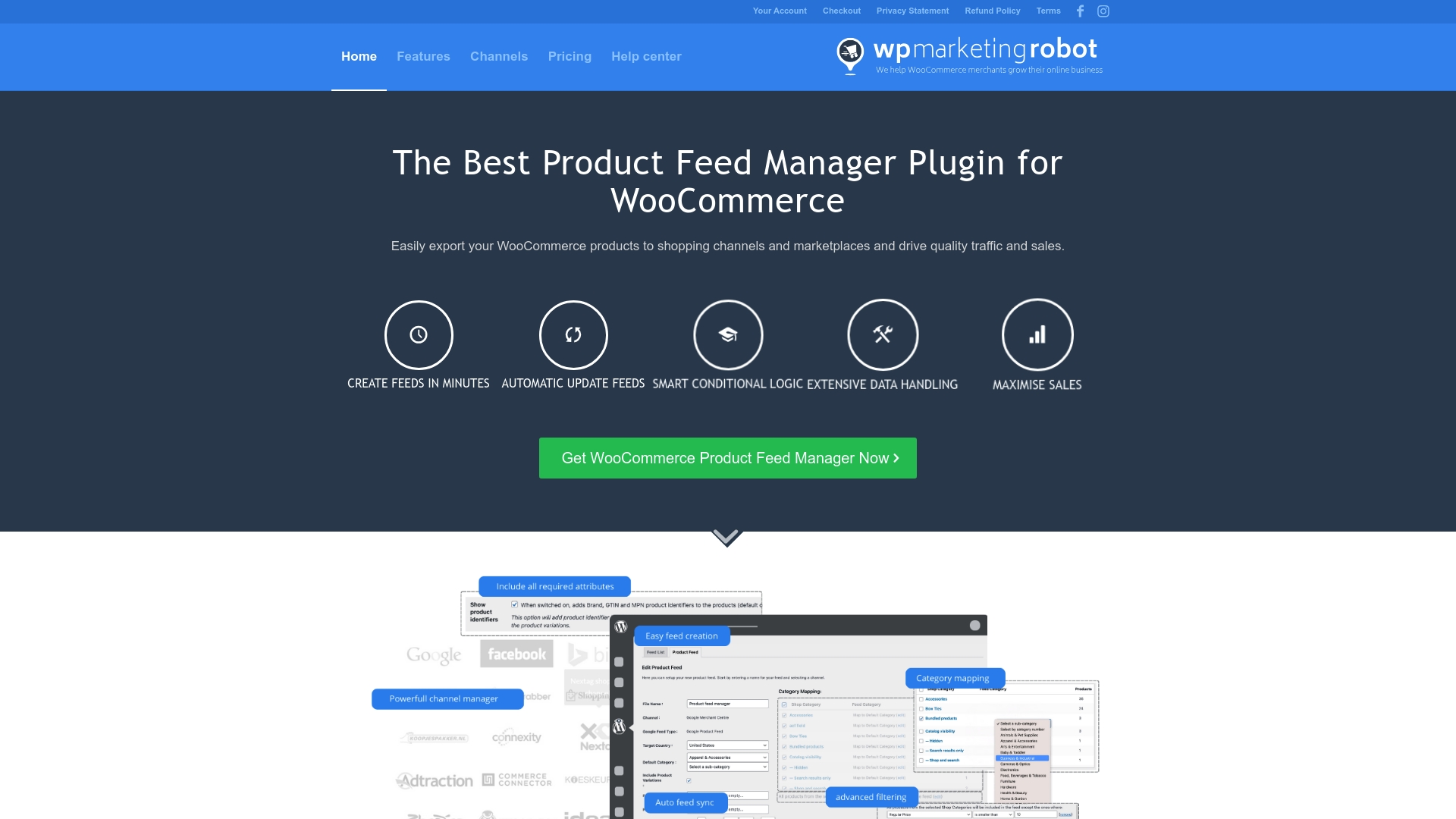
The WooCommerce Product Feed Manager by WP Marketing Robot eliminates the manual complexity entirely. Our platform automatically:
- Syncs your entire catalog across 180+ channels, including Google Shopping, Facebook, Amazon, and specialized marketplaces
- Applies 2025 compliance rules automatically, ensuring identifier_exists, installment pricing, and energy certifications are handled correctly
- Maps attributes intelligently from your WooCommerce custom fields to channel-specific requirements without manual configuration
- Monitors performance continuously with real-time disapproval alerts and automated error resolution
- Updates feeds automatically when you change prices, inventory, or product details in WooCommerce
- Optimizes based on performance using rule-based systems that improve titles, descriptions, and attributes systematically
Merchants using WP Marketing Robot report:
- 60-80% reduction in disapprovals after implementing automated feed management
- 3-5 hour time savings per week previously spent on manual feed maintenance
- 25-40% increase in product visibility from optimized attributes and structured data
- Same-day channel updates instead of 3-5 day manual processes
Your competitors are already using automation to dominate marketplace search results. Every day you manage feeds manually is a day you’re falling further behind. Stop guessing and start winning; visit WP Marketing Robot to see how automated feed management transforms your WooCommerce store’s performance across every channel that matters.
Make your move now. Your products deserve to be seen.