Resolving Invalid or Missing ID Attribute Errors Common Cause: Missing SKUs
Missing ID attribute
Common Cause: Missing SKUs
One of the frequent issues leading to errors related to the ID attribute in your product feed is the absence of Stock Keeping Units (SKUs) for your products. Our plugin uses the SKU as the default identifier for the ID attribute. If your products do not have assigned SKUs, this can result in errors within your Merchant Center.
Step-by-Step Solution: Using Post ID
To rectify this issue, you can switch the source of the ID attribute from SKU to the Post ID, which is a unique identifier assigned by WordPress to every post, page, and product. Here’s how you can make this adjustment:
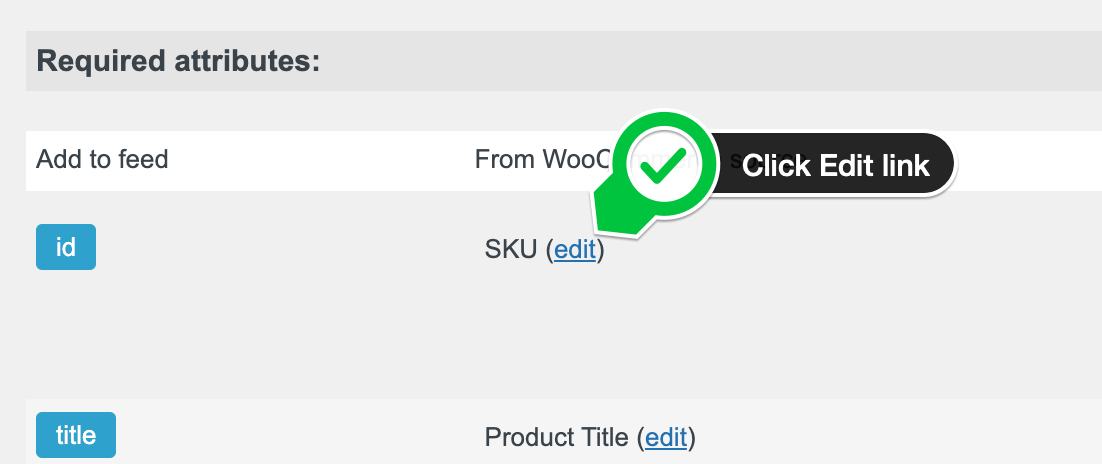
- Locate the ID Attribute Setting: In the feed editor, find the section where the ID attribute is listed. The SKU is typically set as the default source for this attribute.
- Access the Edit Option: Next to the SKU, you will see an (edit) link. Clicking on this link will open the settings for the ID attribute.

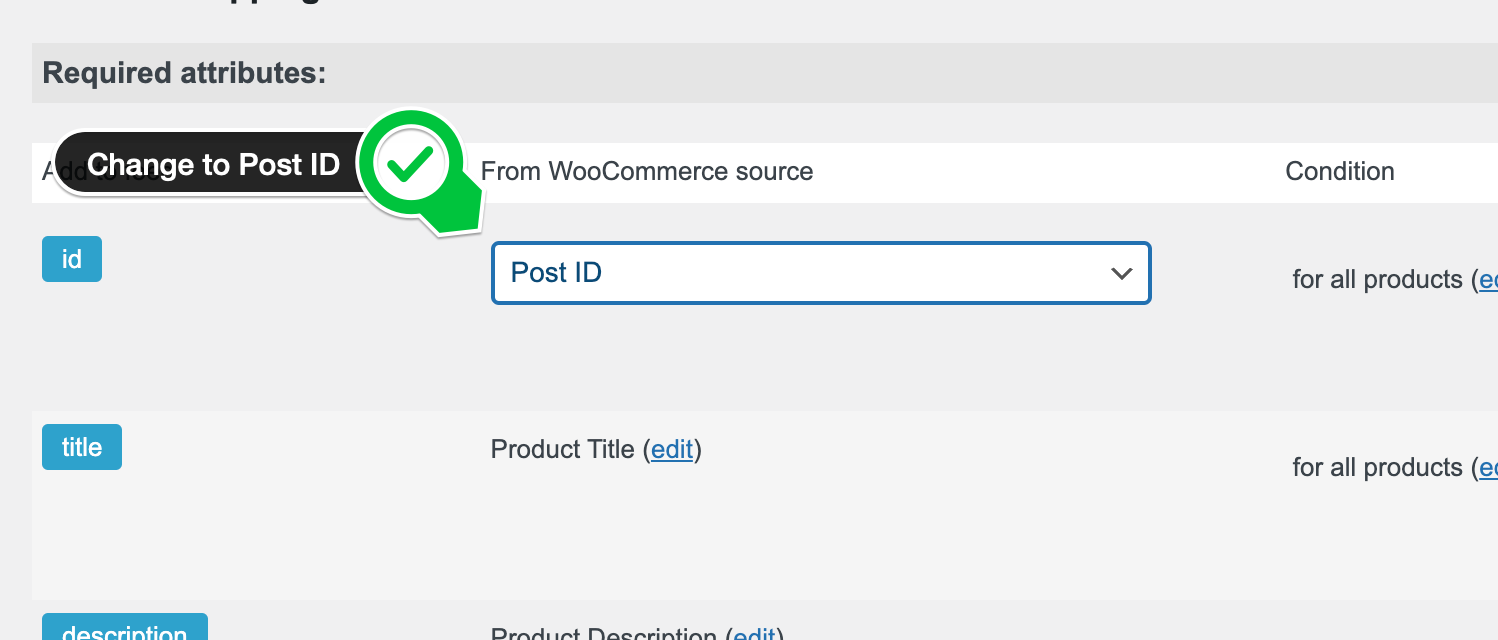
- Change the Source: In the source dropdown menu that appears, select “Post ID” as the new source for the ID attribute. The Post ID is a reliable alternative that ensures each product in your feed has a unique identifier.

- Save Changes: After selecting Post ID, make sure to save your changes. This update will apply to your entire feed, ensuring that all products are assigned a unique ID based on their Post ID, thereby resolving any errors related to missing or invalid ID attributes.
By following these steps, you can effectively address and prevent errors associated with the ID attribute in your product feed, ensuring smoother operation and compliance with Merchant Center requirements.